
Ubuntu Unity 26.10 “Stonking Stingray” is out! You can download it from here. This is our second release during the absence of Rudra and Maik.
This release was focused mostly on maintenance, packaging updates, adaptation to general changes in Ubuntu 26.10 and preparation for including Lomiri by default in the installation media.
As such Ubuntu Unity 26.10 continues to use Unity 7.7, which has undergone maintenance. Our primary focus for this release has been to fix issues and bugs, so we can keep unity 7 going, while we work on an successor. This includes long standing bugs and moving away from unmaintained packages towards supported alternatives.
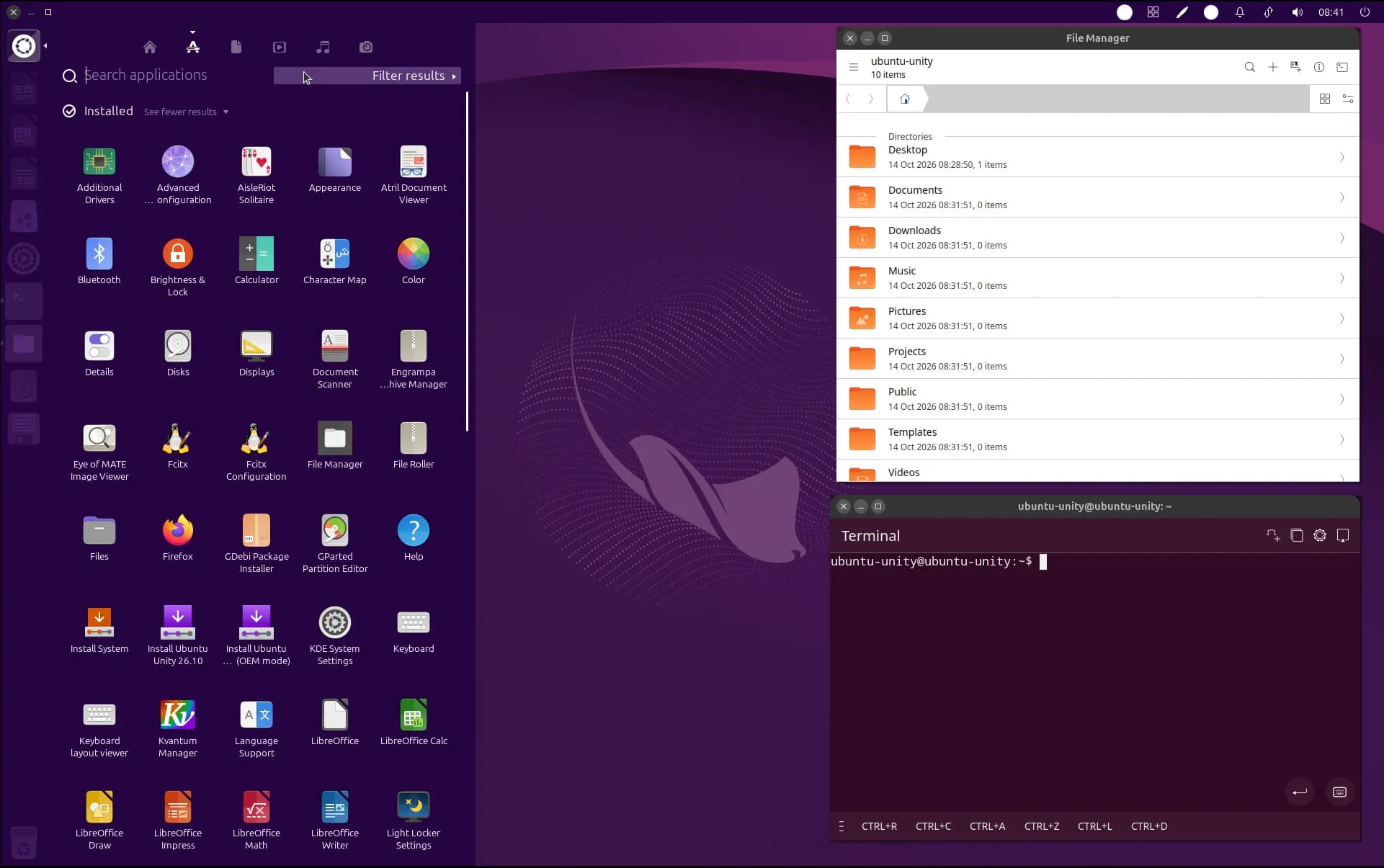
Notable changes we’ve made are:
- included Lomiri Calculator, Lomiri Files and Lomiri Terminal by default,
- fixed policy violation in nux library,
- updated packaging of
unity-settings-daemon, - new wallpapers,
Changes we did not include in this release but we were working on them and are going to be included in next release in April 2027:
- switch to Ayatana indicators (which Lomiri also uses),
- notification improvements: no more separate windows for notifications that have buttons in them,
- resolve package conflicts between Unity and Lomiri which will allow to install Lomiri alongside Unity
- global menu in GTK3/Libadwaita apps that have hamburger menus: more apps working with command menu!
- file search fixes: file searching in the dash should have less issues,
- remove double confirmation dialog when logging out or shutting down
Another notable change from us that we started to form organizational structures aligning with other flavors so that it is easier to cooperate with us for other Ubuntu teams.
Known issues
There are few known issues which we were not able to fix in time for release date and are mostly the same as in 26.04:
- sometimes cursor after login does not appear but highlights things as you moved it around the screen:
- Workaround 1: Press CTRL+ALT+F1 to switch to virtual console, log-in and type
sudo systemctl restart lightdm, - Workaround 2: Press CTRL+ALT+T, type
sudo systemctl restart lightdm
- Workaround 1: Press CTRL+ALT+F1 to switch to virtual console, log-in and type
- shutdown/logout menu not working after cancelling:
- switch to virtual console and type
sudo poweroffto shut down the system,
- switch to virtual console and type
- sometimes cursor stops responding (moves around but does not click anything):
- This is a compiz issue. To workaround this open terminal by pressing CTRL+ALT+T and type
killall -1 compiz. This will kill compiz process and it will be automatically restarted. The downside is that windows from all workspaces might be moved to first workspace.
- This is a compiz issue. To workaround this open terminal by pressing CTRL+ALT+T and type
- the wallpaper has the tendency to appear over the Calamares (installer) window when performing OEM installation. Use Alt+Tab to get back to Calamares (installer) window.
- light-locker seems to crash on login but login works; there are seemingly no side effects
- when shutting down, two confirmation dialogs pop up
- these confirmation dialogs can be disabled with the following gsettings:
gsettings set com.canonical.indicator.session suppress-logout-restart-shutdown true
- these confirmation dialogs can be disabled with the following gsettings:
- sometimes Lomiri terminal app crashes when closing