
Ubuntu Unity 26.04 “Resolute Raccoon” is out! Even though it is not LTS officially we will support it like it is LTS release. You can download it from here. This is our first release during the absence of Rudra and Maik.
As such Ubuntu Unity 26.04 continues to use Unity 7.7, which has undergone maintenance. Our primary focus for this release has been to fix issues and bugs, so we can keep unity 7 going, while we work on an successor. This includes long standing bugs and moving away from unmaintained packages towards supported alternatives.
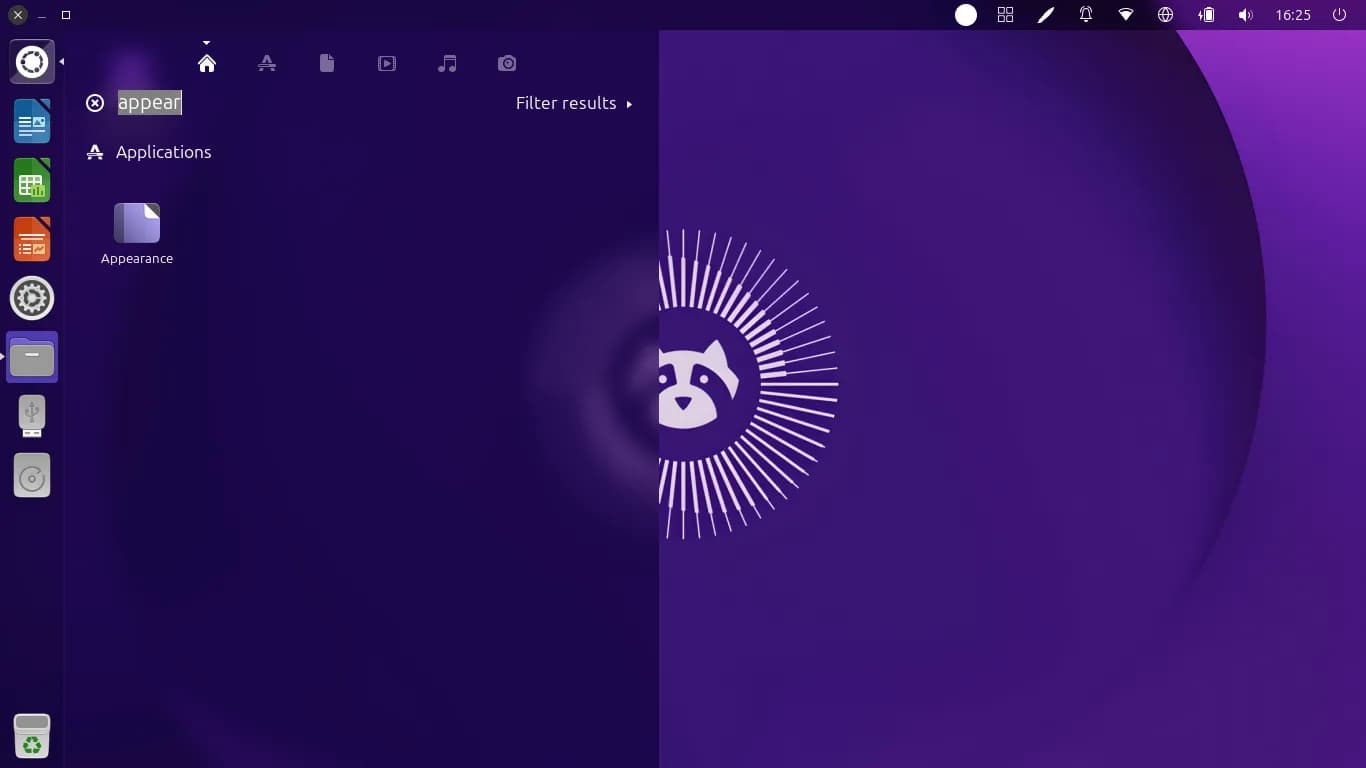
Notable fixes we’ve made are:
- fixed bug with wrong/missing window decorations for some GTK3/4 and Libadwaita apps
- fixed bug with synaptic not launching
- fixed tap to click on touchpads
- fixed snap apps unpinning from the launcher
- moved to vala-appmenu-panel to allow global menu to work in more applications
- moved from unity-gtk3-module to appmenu-gtk3-module
- new wallpapers
- fixes for some abandoned packages which were not building for 26.04
- some packages migrated from deprecated libraries (e.g. libsoup2 and libpcre3)
- removed broken Remote Smart Search support from Home Scope (unity-scope-home package)
- removed unmaintained packages such as cheese, vino and unity-gtk2-appmenu
- switched from gnome-screensaver to light-locker
- introducing new maintainers and contributors (welcome Tomasz, Gautham, Kavish, Alfred ,Lexi and Azzy!)
Known issues
There are few known issues which we were not able to fix in time for release date:
- sometimes cursor after login does not appear but highlights things as you moved it around the screen:
- Workaround 1: Press CTRL+ALT+F1 to switch to virtual console, log-in and type
sudo systemctl restart lightdm, - Workaround 2: Press CTRL+ALT+T, type
sudo systemctl restart lightdm
- Workaround 1: Press CTRL+ALT+F1 to switch to virtual console, log-in and type
- shutdown/logout menu not working after cancelling:
- switch to virtual console and type
sudo poweroffto shut down the system,
- switch to virtual console and type
- sometimes cursor stops responding (moves around but does not click anything):
- This is a compiz issue. To workaround this open terminal by pressing CTRL+ALT+T and type
killall -1 compiz. This will kill compiz process and it will be automatically restarted. The downside is that windows from all workspaces might be moved to first workspace.
- This is a compiz issue. To workaround this open terminal by pressing CTRL+ALT+T and type
- the wallpaper has the tendency to appear over the Calamares (installer) window when performing OEM installation. Use Alt+Tab to get back to Calamares (installer) window.
- light-locker seems to crash on login but login works; there are seemingly no side effects
- when shutting down, two confirmation dialogs pop up
- these confirmation dialogs can be disabled with the following gsettings:
gsettings set com.canonical.indicator.session force-restart-menuitem falsegsettings set com.canonical.indicator.session suppress-logout-menuitem falsegsettings set com.canonical.indicator.session suppress-logout-restart-shutdown truegsettings set com.canonical.indicator.session suppress-restart-menuitem falsegsettings set com.canonical.indicator.session suppress-shutdown-menuitem false
- these confirmation dialogs can be disabled with the following gsettings:
Special thanks
Special thanks to the following people to help keep things going during the absence of Rudra:
- Aaron Rainbolt
- Andreas Hasenack
- c4pp4 from gentoo unity7
- Erich Eickmeyer
- Jeremy Bicha
- Sebastien Bacher
- Skia
- Thomas Ward